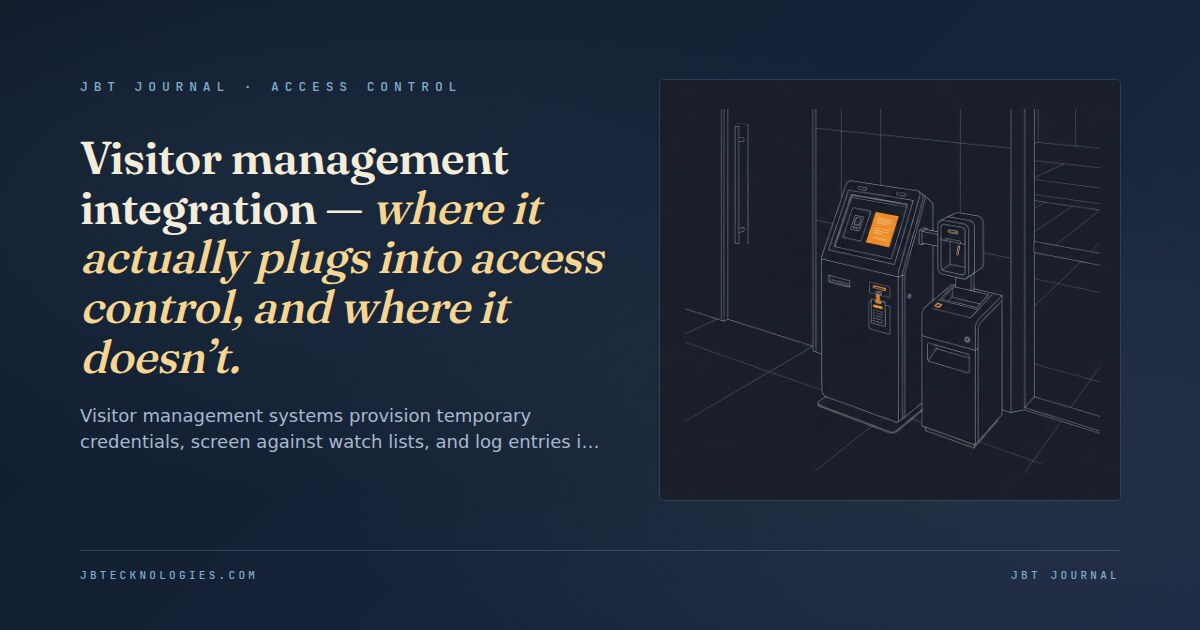
Visitor management systems (VMS) solve a specific problem: tracking who is in a building at any given time, ensuring visitors were expected, and giving them access to the spaces they need without adding them as permanent cardholders in the access control system. The integration between a VMS and an access control platform is where most of the real value lives — and where most of the implementation complexity hides. Understanding what the integration actually connects, and what it deliberately leaves to human judgment, determines whether the deployed system does what the procurement team expected.
The two core integration points
A VMS integrates with an access control platform at two primary connection points: credential provisioning and watch-list screening. Everything else — visitor photos, ID scans, host notification, meeting calendar lookup — is VMS-internal functionality that doesn’t require an ACS connection to operate.
Credential provisioning is the integration that grants a visitor access to specific doors for a defined time window. When a visitor checks in — at a kiosk, at the front desk, or through a pre-registration email — the VMS creates a temporary cardholder record in the access control system with a credential (a QR code, a printed badge barcode, or a mobile link) and an access group that matches the visitor’s allowed areas and visit window. When the visit ends or expires, the credential is automatically revoked and the cardholder record is deactivated. This is the workflow that eliminates the “visitor badge stuck to a lanyard in the drawer” problem — credentials expire automatically without any front-desk action.
Watch-list screening compares the visitor’s identity — from a scanned government ID or from pre-registration data — against one or more databases: an internal deny list, sex-offender registries, government sanctions lists (OFAC, debarment lists), or commercial background-screening databases. The VMS screens the identity at check-in and either clears the visitor, flags the match for front-desk review, or automatically denies entry. The access control system is only involved if the visitor clears screening and a credential needs to be provisioned. Watch-list screening is a VMS function, not an ACS function.
What temporary credentials actually look like in the ACS
From the access control panel’s perspective, a VMS-provisioned visitor is a cardholder with a time-limited credential and a restricted access group. The panel doesn’t know the credential came from a VMS — it sees a cardholder record created through the API, with a credential number, an access level, and an expiration timestamp. The VMS manages the lifecycle of that record (creation at check-in, modification on access-level change, deletion at check-out or expiration), but the enforcement of access is entirely within the ACS.
This architecture has an important implication for panel capacity: every active visitor in the building is a live cardholder record consuming panel capacity. A building with 200 expected concurrent visitors needs to verify that the access control panel has sufficient cardholder capacity to absorb 200 temporary records on top of its permanent cardholder population. The access control panel capacity post covers the cardholder-count limits that determine when a panel needs to be upgraded to support a VMS integration with significant visitor volume.
Watch-list screening — the integration limit that surprises building owners
Watch-list screening in a VMS is a one-time check at pre-registration or check-in. It is not a continuous monitoring function. A visitor who clears the screening at 9 a.m. and has their credential provisioned will not be re-screened if they are added to a deny list at 10 a.m. The credential remains valid until expiration. For most commercial buildings, this is an acceptable limitation. For buildings with high-security requirements — government contractors, financial institutions, certain healthcare facilities — this limitation may be a deployment disqualifier for VMS-based screening and require a more robust identity verification workflow.
The accuracy of watch-list screening also depends entirely on the quality of the identity data being compared. An unverified typed name at a kiosk produces a substantially less reliable screening result than a government-ID scan with biometric confirmation. Most VMS kiosks support ID scanning with optical character recognition — they read the ID and compare the data to the screening database. They don’t verify that the ID is authentic or that the person presenting it is the person named on it. That judgment requires a trained human at the front desk. The biometrics in commercial access control post covers where biometric verification adds genuine value and where its false-reject rates create an operational problem instead — relevant because some VMS platforms now offer biometric kiosk options for ID verification.
The front-desk scenarios that still require human intervention
No visitor management integration eliminates the need for front-desk staff in a security-conscious facility. The scenarios that require human judgment regardless of VMS automation:
- Unexpected visitors: A VMS pre-registration workflow assumes visitors have a host who registered them. Walk-in visitors without a pre-registration trigger a manual lookup, host notification, and manual approval workflow that a self-service kiosk can’t complete without staff involvement.
- Watch-list matches requiring context: A common name match against a deny list (multiple “John Smith” entries) requires a human to review the full match context and make a judgment call. The VMS flags the match; the decision to admit or deny requires a person.
- Multi-destination visits: A visitor who needs access to floors 3, 7, and 12 for a multi-stop meeting requires access-group selection that may not map to a single VMS access template. Manual access-group assignment is faster and more accurate than trying to match complex multi-floor access patterns to a VMS dropdown.
- Contractor-class visitors: Long-duration contractors who need consistent daily access but shouldn’t be permanent cardholders create a workflow that VMS systems handle poorly — the daily re-provisioning friction is high, and the access record management becomes a data quality problem over time.
Anti-passback and visitor credentials
Anti-passback rules — which prevent a credential from being used to enter a zone twice without exiting — apply to VMS-provisioned visitor credentials the same way they apply to permanent cardholders. A visitor who tailgates through a door without reading their credential in and then tries to exit through a reader will trigger an anti-passback violation if the system is configured with hard anti-passback. This generates a false violation that requires manual reset by access control staff. VMS deployments in buildings with strict anti-passback require either soft anti-passback configuration for visitor access groups, or visitor escort policies that prevent credential use near tailgating-prone areas. The anti-passback and tailgating detection tradeoffs are covered in the anti-passback vs tailgating detection post. Our access control services for Atlanta and Southeast commercial buildings include the VMS integration scoping that maps visitor workflows to ACS access group structure before the VMS platform is selected.
Integrating visitor management with access control in Atlanta or the Southeast?
We design and install access control systems for commercial buildings in Atlanta and the Southeast — including the VMS integration scoping, platform compatibility review, and access-group structure that determines whether the integration actually automates the workflows that justify its cost.