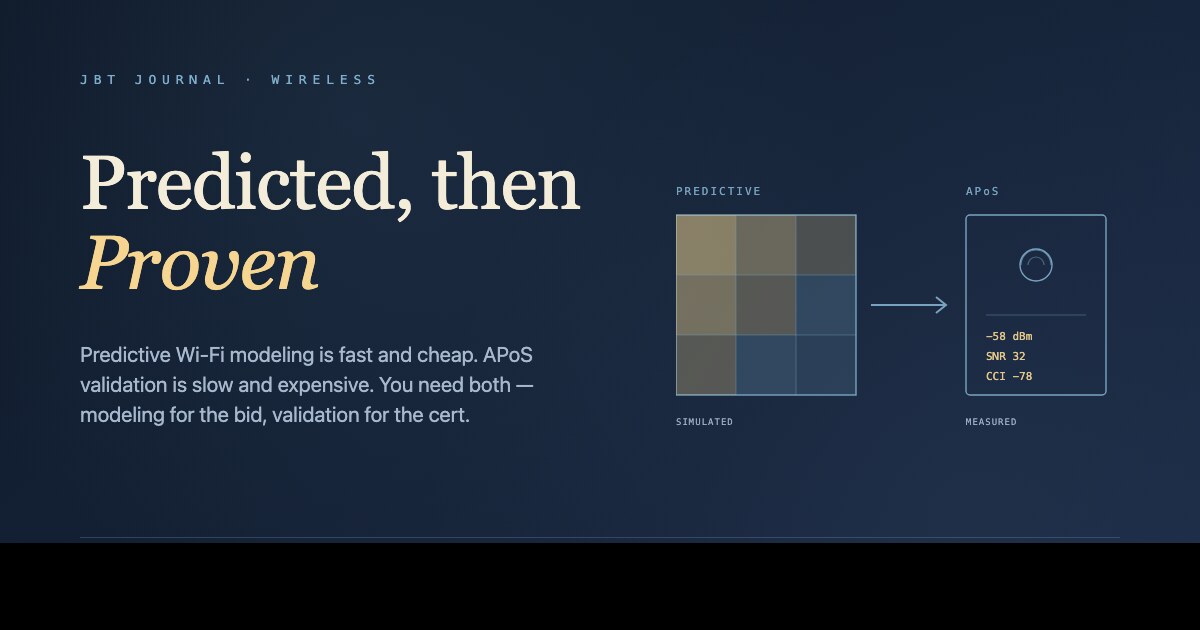
Every Wi-Fi project now starts with a predictive design. Ekahau Pro or iBwave imports the floor plan, the engineer drops walls and AP placements, the model runs, and a green-and-yellow heatmap appears showing 100% coverage at -65 dBm. The PDF goes to the GC. The contract gets signed. The APs get installed exactly where the model said. Six months later, a third of the warehouse can't sustain a barcode-scan session and the in-room iPads at the hotel keep dropping streaming video.
The model wasn't wrong about its assumptions. It was just modeling a building that doesn't exist. The actual building has a CMU wall the floor plan didn't show, a steel mezzanine the architect added at the 11th hour, a server rack lining the corridor the IT director wanted near the ground floor, and a population of users carrying devices the model never simulated.
This is the gap that AP-on-a-stick testing fills. It's not glamorous, it adds a half-day to the project, and it's the difference between a Wi-Fi network that performs as designed and one that gets re-engineered three months after handover.
What predictive design actually models
A predictive design is a 2D propagation simulation. It takes a floor plan with material types, computes RF attenuation per wall and ceiling tile, places APs at user-defined points, and renders the resulting signal levels and SNR per location. The major tools (Ekahau Pro, iBwave Design, AirMagnet Planner, Hamina) all do approximately the same thing with different UIs.
What the model is good at:
- Comparing AP-count and AP-placement options on a known floor plan.
- Estimating channel reuse and interference on multi-floor designs.
- Producing client-deliverable heatmaps that make the design legible to non-RF stakeholders.
- Establishing a defensible baseline: this is the design we sold; here's what it predicted.
What the model is structurally bad at:
- Materials that aren't on the floor plan — rebar density in poured concrete, metallic vapor barriers, foil-backed insulation, structural steel, racking density.
- Glass — the attenuation depends entirely on the coating, and architectural drawings rarely specify it.
- Multipath. The model usually assumes free-space-plus-attenuation; it does not predict reflections off metal racking that cause null zones at AP-ceiling-AP-floor distances.
- User density and device mix. A 25-AP design that performs at -65 dBm with 3 clients per AP does not necessarily perform at -65 dBm with 80 clients per AP, even though the heatmap looks identical.
Where predictive most often misses
The categories of building where predictive design alone produces the worst surprises:
- Healthcare. Lead-lined imaging suites, X-ray rooms, MRI rooms (entirely RF-shielded), and the medication-administration carts that travel between wards demand seamless roaming. The walls are not what the floor plan says.
- Warehousing & distribution. Tall racking made of structural steel changes RF behavior dramatically when stocked. An empty warehouse measures very differently from one full of metal-on-metal pallets.
- Hospitality. In-room iPads, casting devices, voice assistants, smart locks, and 250 guest devices per night put unusual user-density loads on APs. Concrete-and-rebar room dividers attenuate more than the model predicts.
- Manufacturing. Cell control PLCs on 5GHz, cordless phones on 2.4GHz, RF-emitting equipment, and structural steel everywhere. The non-Wi-Fi RF environment has to be measured.
- Mass-timber and modern adaptive-reuse buildings. The metallic vapor barriers and engineered laminations behave very differently from drywall. The model usually has no setting for them.
What AP-on-a-stick testing actually does
An APoS validation places a real AP on a tripod at the proposed mounting location, spins up the SSID at the design-target power and channel, and surveys client signal levels and throughput at sample points around the coverage area. It costs a half-day of field work plus a few hours of data review.
What APoS catches that predictive misses:
- Material attenuation that wasn't on the drawing. If the predictive model said -64 dBm at the loading-dock office and the APoS measures -78 dBm, you've discovered a wall the drawings didn't capture. Move the AP, add an AP, or accept the coverage gap before the contract is signed.
- Multipath nulls. The APoS reveals dead spots that don't make sense on the heatmap because the heatmap doesn't model reflections.
- Co-channel and adjacent-channel interference from neighboring buildings. A spectrum scan during the APoS shows what's already on the air at the actual installation site — not what was on the air at the engineer's desk.
- Mounting-height feasibility. The drawings show the AP at 12-foot ceiling height. The actual ceiling has a 16-foot soffit run and a sprinkler main. The APoS confirms whether the planned mounting is physically possible.
The order of operations
A defensible Wi-Fi engineering process for a non-trivial building:
- Predictive design. Ekahau or iBwave from the floor plan. Establish AP count, AP placement, channel/power plan, and the heatmap deliverable.
- APoS validation at sample locations. 5–15% of proposed AP locations, prioritizing the highest-risk areas (large open spans, glass-walled offices, metal-clad areas, edge-of-coverage rooms). Adjust the predictive design based on what was measured.
- Final design with as-walked floor plans. Update the model with materials and obstructions discovered during APoS. Re-run channel/power planning.
- Installation. APs go in per final design. Document the actual as-built locations because they often differ from the drawings.
- Post-installation validation survey. Walk the same survey points from the APoS. Confirm the as-built network matches the design intent. Anything that doesn't is a punch-list item.
What to ask the vendor
If a Wi-Fi proposal includes only a predictive design with no APoS step and no post-installation validation, ask explicitly:
- What was the source of the floor plan and material data? Were any materials assumed because the drawings didn't specify?
- How will you validate the design against the actual building before installation?
- What's the post-installation acceptance criterion? Signal level at sample points? Throughput per AP? Roaming behavior between APs?
- If the post-install survey identifies coverage gaps, what's the contract mechanism for adding APs — change order or warranty work?
Vendors who answer those questions confidently are doing this work for a living. Vendors who don't are selling you a heatmap.
Bottom line
Predictive design is the right starting point for almost every project — it's fast, it's cheap, and it forces the design conversation to be quantitative. But predictive alone, on a non-trivial building, is a hypothesis. APoS validation is the experiment that tests whether the hypothesis is true for this specific building. The half-day of field work it adds is the cheapest insurance against a redesign that costs ten times more six months after handover.
Designing Wi-Fi for a non-trivial building?
We do predictive plus APoS validation as standard on healthcare, warehousing, hospitality, and manufacturing projects. Happy to walk through the survey methodology before you award.